
Turn any device into a digital kiosk
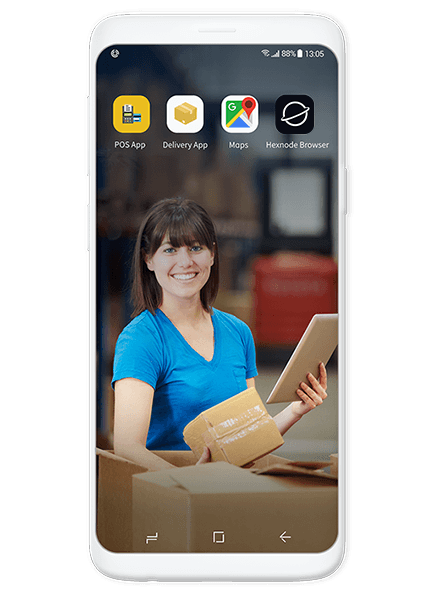
Android
Lock all your Android phones, tablets and TVs as corporate kiosks.
The kiosk can be configured to run in single app or multi-app or web-app modes.

iOS
Configure supervised iPhones and iPads as kiosks that allow limited access to device capabilities.
The iOS and iPadOS devices can be locked into a single app, or a set of multiple apps / web apps. The admin can also regulate access to other device functions.

Apple TV
Convert supervised Apple TVs into purpose-oriented kiosks by locking them down to an enterprise application that would be automatically launched.
Leverage the full potential of Apple TVs as digital signages or kiosk devices with Hexnode.

Windows
Lock your Windows devices to either a single or a set of UWP (Universal Windows Platform) applications. Customize the Start Menu Layout to arrange the apps in multi-app kiosk mode.
Here is what your kiosks can do

-
Configure peripheral settings to attain granular control over device functionalities such as disabling software/hardware keys, system bars, network connectivity and more.
-
Define background applications that would run with their icons hidden on the home screen.
-
Play videos and view PDF files with Hexnode’s native PDF viewer and Video
-
Player without whitelisting a third-party player.
-
Convert your Android devices into advertisement and branding kiosks with Digital Signage capabilities.
-
In addition to single app mode, UEM supports autonomous single app mode, which runs an application in the foreground by suppressing every other application. The application exits automatically once its purpose is served.
-
iOS Kiosk Browser gives greater control to the admin when locking down devices to single or multiple websites.
-
The admin can disable the back button, clear the cache, set a time for periodic refresh and more in the kiosk devices.
.png)
.png)
-
Secure Android Kiosk Browser supports both single-tabbed and multi-tabbed browsing configurations.
-
The Kiosk Browser lets the admin configure settings and restrictions that are not available on other browsers.
-
Browser Lite lets users do single-tab browsing in kiosk mode without putting a burden on the device memory.
-
The admin can limit the user access to a handful of websites with the whitelisting feature.
-
Native iOS Kiosk Browser, the enterprise can have maximum control over the devices locked down as web app kiosks. Web apps can be configured and deployed directly from your portal.
-
Apart from granting access to web apps, the admin can whitelist the URLs that can be accessed within the web app.
-
The admin can also customise the wallpaper for iPhones and iPads in multi-web-app kiosk mode.
.png)
LATEST NEWS
interesting reads


